
An open-source platform for all your creative work.
--- 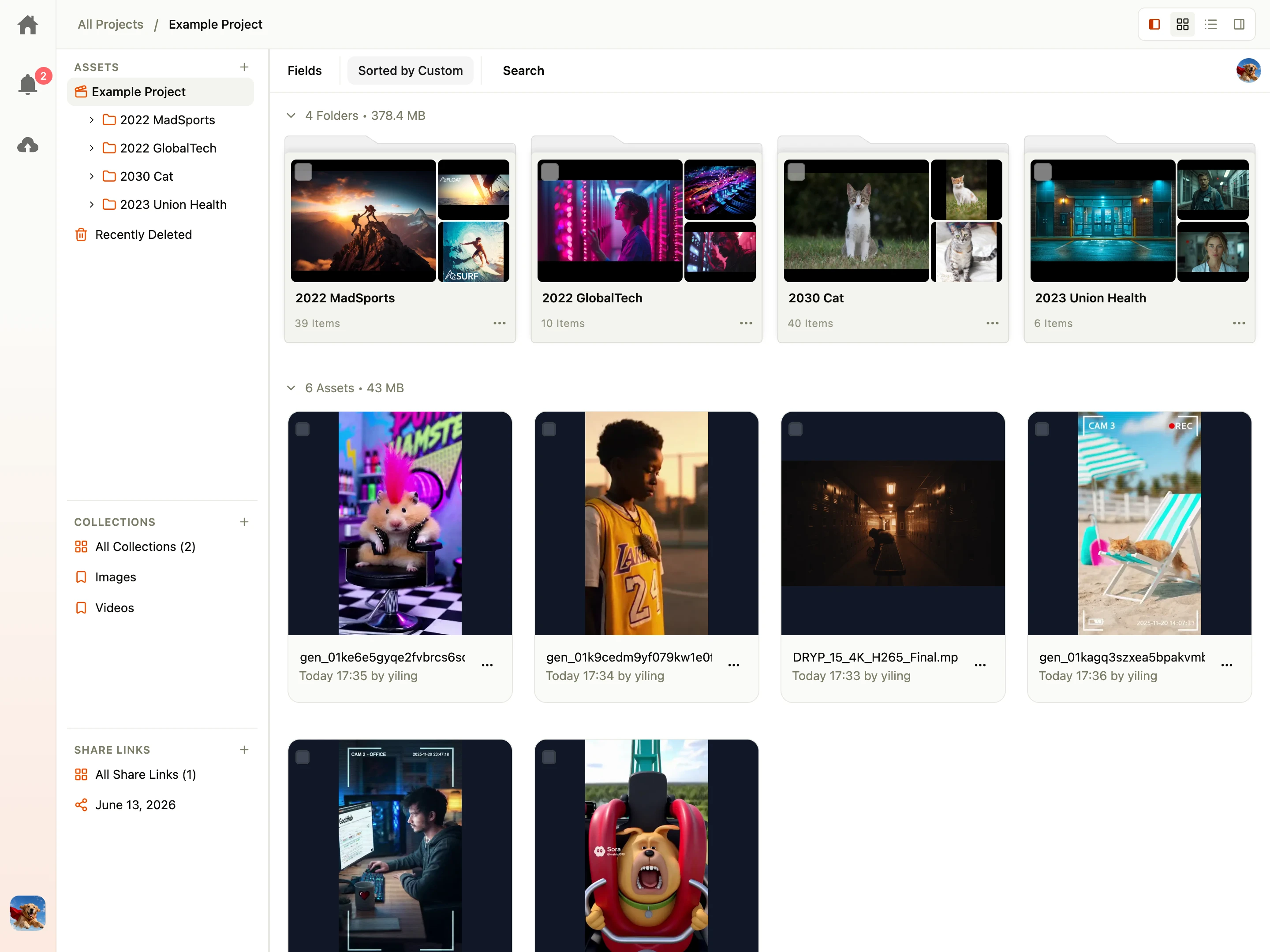 ## Features - **S3-Compatible & Local FS Storage**: Securely store and serve your creative assets using local filesystems or any S3-compatible cloud storage (AWS S3, Cloudflare R2, MinIO, etc.). - **Comments with Draw Annotations & Timestamps**: Give precise feedback with frame-specific drawing tools and exact timestamps directly on video and image assets. - **Easy Share Links & Collections**: Create secure external share links and curated media collections to collaborate with external clients and stakeholders. - **Team & Project Member Management**: Manage granular workspace permissions using team-level and project-level role-based access control. - **Scalable Transcode Workflows via Temporal**: Offload resource-heavy video transcoding to a reliable background worker pool orchestrated by Temporal. - **Flexible Asset Metadata System**: Customize your workspace metadata with dynamic, user-defined fields tailored to your production pipeline. ### Shumai Agent - **Chat with Agent as a Collaborator**: Converse with a context-aware AI agent directly within your project workspace. - **Extend Agent with Skills**: Easily register new tools and custom skills for the agent to run and automate workflows. - **Secure Sandboxed Execution**: Execute agent scripts and tasks in a secure, isolated sandbox environment. - **AI-Powered Metadata Autofill**: Automatically generate tags, descriptions, and custom metadata for new assets using Google Gemini. - **Semantic Asset Search**: Find assets instantly based on their visual and textual content using vector embeddings. --- ## Installation ### Option 1: Docker Compose (Quick Start) The easiest way to run Shumai is using Docker Compose. You do not need to clone the repository: 1. Create a `docker-compose.yaml` file by copying the configuration from [GitHub](https://github.com/shumaiOne/shumai/blob/main/docker-compose/local/docker-compose.yaml) or download it directly: ```bash curl -o docker-compose.yaml https://raw.githubusercontent.com/shumaiOne/shumai/main/docker-compose/local/docker-compose.yaml ``` 2. Start the services: ```bash docker compose up -d ``` 3. Access the application in your browser at: ``` http://localhost:3000 ``` 4. Stop and remove the services: ```bash docker compose down ``` ### Option 2: Install from NPM You can run Shumai using the npm package `@shumai-one/shumai`. This option allows you to install and run Shumai globally or locally via your favorite package manager. #### Step 1: Start PostgreSQL with pgvector Shumai requires PostgreSQL with the `pgvector` extension. You can spin up a pre-configured database container using Docker: ```bash docker run --name shumai_postgres \ -e POSTGRES_USER=shumai \ -e POSTGRES_PASSWORD=shumai_password \ -e POSTGRES_DB=shumai_db \ -p 5432:5432 \ -d pgvector/pgvector:pg18 ``` #### Step 2: Install Shumai globally Install the main Shumai package using `npm`, `pnpm`, `bun`, or `yarn`: ```bash npm install -g @shumai-one/shumai # or: pnpm add -g @shumai-one/shumai # or: bun add -g @shumai-one/shumai ``` #### Step 3: Configure Environment Variables Create a new directory for your Shumai configuration and navigate into it: ```bash mkdir my-shumai-app cd my-shumai-app ``` Create a `.env` file in this folder and add the following configuration (which aligns with the Docker database command in Step 1): ```env DATABASE_URL=postgresql://shumai:shumai_password@localhost:5432/shumai_db?schema=public BETTER_AUTH_SECRET=ySxs7DxzHDGBbeeHNPEwBuspYwipBqz5Gk5XdBjNhWw= BETTER_AUTH_URL=http://localhost:3000 STORAGE_BACKEND=local ``` #### Step 4: Run Shumai Start the application from your configuration folder: ```bash shumai ``` On startup, Shumai will automatically run the necessary database migrations and start the web server at `http://localhost:3000`. --- ### Option 3: Run from Source To run Shumai locally for development: 1. Clone the repository and install dependencies: ```bash git clone https://github.com/shumaiOne/shumai.git cd shumai bun install ``` 2. Start the `pgvector` database container (as described in Option 2, Step 1). 3. Create a `.env` file at the root of the workspace using the example configuration from Option 2, Step 3. 4. Run the database migrations: ```bash bun run db:migrate ``` 5. Start the development server: ```bash bun run dev ``` --- ## Advanced: Distributed Execution with Temporal For production environments or workloads with heavy media processing and AI agent requirements, Shumai can delegate background activities to **Temporal**. This provides distributed queue management, task retries, and high availability. ### How it works By setting the environment variable `WORKFLOW_EXECUTOR=temporal`, the main Shumai application will delegate background workflows to a Temporal cluster instead of using the local polling-based engine. This allows you to run independent worker processes (`shumai-agent` and `shumai-transcode`) on separate specialized machines (e.g., transcoding workers on GPU-accelerated instances, and agents on sandboxed environments). ### 1. Configure the environment Add the following variables to your `.env` configuration on all machines: ```env WORKFLOW_EXECUTOR=temporal TEMPORAL_ADDRESS=localhost:7233 ``` ### 2. Set up the stack You can spin up the main application, database, and Temporal services using Docker Compose: 1. Create a `docker-compose.yaml` file by downloading the configuration: ```bash curl -o docker-compose.yaml https://raw.githubusercontent.com/shumaiOne/shumai/main/docker-compose/temporal/docker-compose.yaml ``` 2. Start the services: ```bash docker compose up -d ``` This exposes the Shumai Web UI at `http://localhost:3000` and the Temporal dashboard at `http://localhost:8080`. ### 3. Run the background workers When running in Temporal mode, the main Shumai application only submits tasks to the Temporal queue. To process these tasks, you must run at least one agent worker and one transcoding worker: - **Transcoding Worker**: Install `@shumai-one/shumai-transcode` and run it on a machine with sufficient transcoding resources: ```bash npm install -g @shumai-one/shumai-transcode # Run worker with correct .env containing DATABASE_URL and TEMPORAL_ADDRESS shumai-transcode ``` - **AI Agent Worker**: Install `@shumai-one/shumai-agent` and run it on a machine configured for AI tasks (with access to sandbox environments and `GEMINI_API_KEY`): ```bash npm install -g @shumai-one/shumai-agent # Run worker with correct .env containing DATABASE_URL and TEMPORAL_ADDRESS shumai-agent ```